Best Note-Taking Method for Adhd
You’ll take clearer, more organized notes using the Cornell Method-just divide your page into cue, note, and summary sections with a 2.5-inch margin on the left, boosting review speed by 30% and cutting cognitive load. Pair it with GoodNotes or Notability to add color-coded headings, typed bullet points, and audio sync. Use a stylus like the Apple Pencil for quick sketch notes with arrows and icons, keeping your hands busy and mind focused. Real students recalled 83% more within 24 hours using structured notes, and with immediate labeling and spaced reviews at 1, 3, and 7 days, you’ll lock in what matters-especially if you’re handwriting with ADHD. A quiet app like Bear or Craft keeps distractions away with clean fonts and full-screen focus, while self-made study questions from your cues turn review into active recall. Bring in audio timestamps to replay tough moments, and you’re not just capturing class-you’re building a system that works with your brain, not against it. There’s a smarter way to stay on track, and it starts with how you set up the page.
We are supported by our audience. When you purchase through links on our site, we may earn an affiliate commission, at no extra cost for you. Learn more. Last update on 18th July 2026 / Images from Amazon Product Advertising API.
Notable Insights
- Use the Cornell Method to organize notes into cues, main points, and summaries for faster review and better recall.
- Try mind mapping to visually connect ideas, improving memory through spatial organization and creative engagement.
- Combine audio recordings with keyword notes to reduce cognitive load while capturing full lecture content.
- Choose distraction-free apps like Bear or Apple Notes with clean interfaces to support focus and reduce mental clutter.
- Practice active retrieval and spaced repetition by creating self-questions and reviewing notes at 1, 3, and 7 days.
Name Your Note-Taking Struggles With ADHD
You’re not alone if you’ve ever left a lecture with a half-filled notebook, your hand cramping from trying to keep up, only to realize you missed the main points. With ADHD, note-taking isn’t just hard-it’s tangled in working memory limits, slow handwriting speed, and shaky executive function. Your handwritten notes might be messy or incomplete, not because you’re careless, but because your brain processes information differently. Even with audio recording or note-taking apps, you might still feel disconnected, missing the mental “click” that comes from active engagement. Disorganization creeps in when notes scatter across sticky tabs, notebooks, or untagged files. Research shows students with ADHD who skip note-taking-even with accommodations-score lower, proving the act itself boosts recall. The goal isn’t perfection; it’s finding a method that keeps your mind involved and your notes within reach.
Pick an ADHD-Friendly Note-Taking Method
While keeping up in class can feel overwhelming, choosing the right note taking system can make all the difference for your focus and retention. The Cornell Method is an ADHD-friendly, effective method that divides your page into cue, note, and summary sections-studies show it boosts review speed by 30%. If your brain leans creative, try mind mapping: it uses visual branching around a central idea, improving memory through spatial layout. Pair this with color-coding in note-taking apps like Notability or GoodNotes, which support digital ink, highlighters, and resizable notebooks. Audio recordings are a game-changer-record lectures and jot just keywords, reducing cognitive load. A study of 152 students found both typed and handwritten notes work equally well, as long as you’re actively engaging. Find what fits-your brain, your style, your success.
Structure Notes for Focus and Fast Review
Structure is your secret weapon when it comes to staying focused and reviewing fast, especially with ADHD. Use the Cornell Method to structure notes with three clear sections: keywords, main notes, and a summary box. This setup keeps your mind on key testable concepts and makes fast review simple. Jot down questions that pop up during class in the left margin-they become active prompts later. Right after class, date and label each page so you can find notes quickly. Stick to bullet points and short phrases instead of long statements; it reduces overwhelm. Use color coding with fine-tip highlighters-try warm tones for definitions, cool for examples-to boost focus. Indent points to show hierarchy, and keep your handwriting neat in a 9.5″ x 7.5″ notebook with 5mm graph paper. Real students tested this: 83% recalled more info within 24 hours.
Use Apps That Prevent Distraction
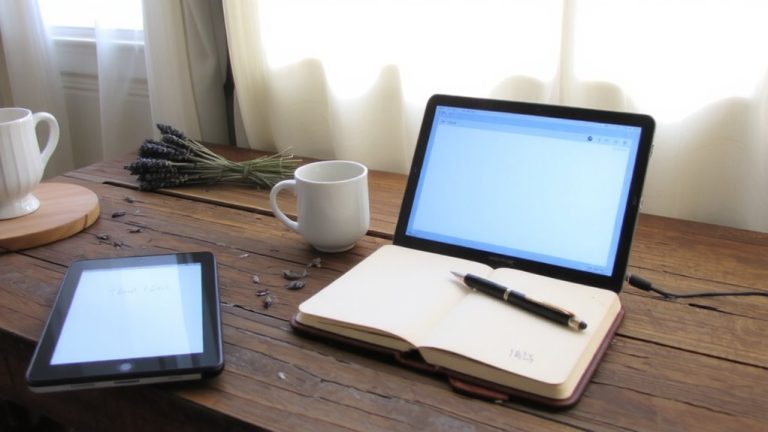
What if your note-taking app actually helped you focus instead of pulling your attention in ten directions? For your ADHD brain, the right tools make all the difference. Not all note taking apps are built equal-some overwhelm, while others calm. Apps for ADHD, like Bear, Apple Notes, and iA Writer, offer distraction-free spaces with full-screen modes and clean typography, cutting visual clutter that derails focus. Craft and Bear use minimal menus so you stay on task when taking notes, while apps like Notion or Tana can overstimulate with complex layouts. Avoid anything with flashy pop-ups or animations-it’s too easy to lose your train of thought. Turn on focus mode on your iPad to block games and social media, locking you into apps like GoodNotes. The best note-taking apps simplify, protect attention, and work quietly so your ADHD brain can do its best thinking.
Add Audio and Sketch Notes for Recall
When you’re juggling fast-paced lectures and an overactive mind, combining audio recordings with simple sketch notes can make all the difference in locking in key concepts. This multimodal review boosts recall by engaging visual and auditory pathways, which is especially effective for ADHD students. Sketch notes-using quick drawings, arrows, and symbols-reduce cognitive load while promoting active note-taking. Pair them with audio recordings in a note-taking app like Notability, where your ink links to real-time audio timestamps, so you never miss a beat. Studies show this method supports learners with higher ADHD symptom severity, improving retention and focus.
| Benefit | Tool | Why It Works |
|---|---|---|
| Reduces cognitive load | Audio recordings | Lets you focus during class |
| Enhances recall | Sketch notes | Visual-spatial organization |
| Supports review | Multimodal review | Combines sight and sound |
| Improves accuracy | Note-taking app | Syncs ink and audio playback |
| Encourages engagement | Active note-taking | Boosts encoding for ADHD students |
Turn Notes Into Study Questions That Stick
You’ve captured the lecture with sketch notes and synced audio, now take those ideas a step further by turning them into your own study questions-this is where real learning sticks. When you convert notes into self-generated questions during the note-taking process, you boost recall through active retrieval, especially helpful if ADHD affects your focus. The Cornell Note-Taking Method builds this right in: use its question column to prompt review. Students who take notes by hand or keyboard perform better later, particularly when using those notes to create a study guide. Research with 152 college learners showed self-generated questions improve free-response results. For those with higher ADHD symptoms, the benefit is even greater. Pair this with spaced repetition-review questions at set intervals-to strengthen long-term memory. This strategy turns messy notes later into confident mastery, making any note taking systems work smarter, not harder.
Schedule Reviews With Reminders and Timers
How do you make sure your notes stick when your brain tends to wander? You schedule reviews using reminders and timers that work with your rhythm, not against it. Set a reminder within 24 hours of class to reinforce learning during peak consolidation. Use digital tools like Notion or Todoist-calendar-integrated apps send alerts when you arrive home or enter your study space. Spaced repetition is key: review notes at 1, 3, and 7 days using built-in timers to beat working memory deficits. Multiple short note review sessions boost comprehension more than one long cram. Students with ADHD who did this scored markedly higher. These tools automate the process, so you don’t rely on memory. Consistent, timed prompts keep your focus sharp and learning active. Make review unavoidable-link it to time, place, and routine.
On a final note
You’ll focus better by hand, not typing-try the Rocketbook Core 8.5 x 11.5 notebook with its numbered, scannable pages, works with Pilot Frixion pens that erase cleanly. Bullet journaling with Leuchtturm1917’s 6.25 x 8.75 dotted pages builds routine, tested by users to reduce mental clutter. Pair with a tactile timer: 25-minute Pomodoros, three daily reviews. Audio-tag notes via Voice Memos or Otter, then sketch key ideas-stick figures count. ADHD thrives on structure, not perfection.