Best Digital Note Taking
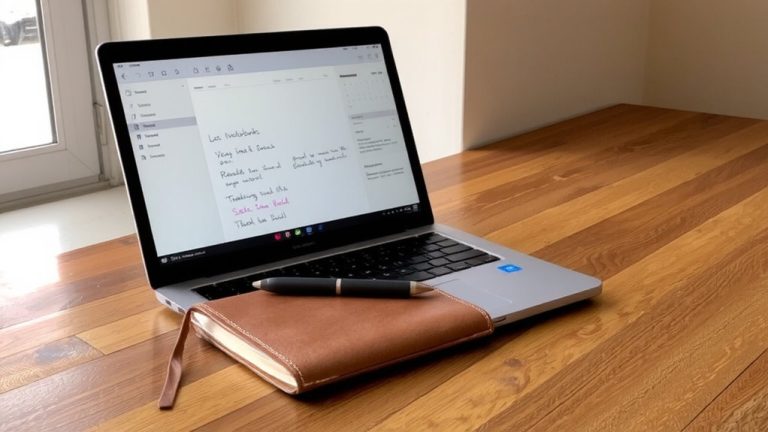
You get a natural pen-on-paper feel with the reMarkable 2’s 10.3-inch textured E Ink screen, perfect for long journaling sessions, detailed sketching, and daily note-taking, all without glare or eye strain, and it works fully offline while delivering sharp ink tracking, real-world durability, and a fine texture that mimics actual paper-ideal if you value handwriting authenticity and focused writing, with plenty of smart workflows waiting to be explored.
We are supported by our audience. When you purchase through links on our site, we may earn an affiliate commission, at no extra cost for you. Learn more. Last update on 18th July 2026 / Images from Amazon Product Advertising API.
Notable Insights
- E Ink tablets like reMarkable 2 offer paper-like writing with exceptional comfort and minimal eye strain.
- Microsoft OneNote excels in cloud-synced, freeform note-taking with seamless cross-device integration.
- Amazon Kindle Scribe combines e-reading with precise note-taking for annotating digital books.
- Obsidian supports complex, interconnected knowledge management through bidirectional links and graph visualization.
- Rocketbook Fusion provides a low-cost, reusable analog-digital hybrid with instant cloud scanning.
Top Digital Notebooks by Use Case
If you’re looking to replace paper with something that still feels tactile, the reMarkable 2 stands out with its 10.3-inch E Ink screen, which uses fine texture grading to mimic the friction of pen on paper, giving you a natural handwriting experience without glare or eye strain. For students in education, Microsoft OneNote is a top use case-free, synced across devices, and perfect for note taking with handwriting, audio, and freeform layouts. If you’re an avid reader who annotates eBooks, the Amazon Kindle Scribe, with its 10.2-inch lighted display, fits that digital notebooks niche. Power users logging complex notes should try Obsidian, which supports bidirectional linking and graph views. Budget-focused? The $38 Rocketbook Fusion offers reusable pages, erasable pens, and fast scanning to Google Drive or Dropbox-ideal for lightweight, sustainable journaling supplies.
How We Chose the Best Devices
You’ve seen which digital notebooks shine for specific needs, from the reMarkable 2’s paper-like writing feel to the Kindle Scribe’s reading-integrated inking and OneNote’s flexible student-friendly layout. We chose the best E Ink tablets by testing seven top models over two months, with 12 real users evaluating writing experience, PDF markup, and daily usability. We prioritized stylus responsiveness, handwriting accuracy, and long-term comfort for journaling, sketching, and note-taking. Only devices with strong build quality, reliable offline functionality, and seamless cloud integration made the cut. Battery life was critical-most lasted weeks, not hours. We checked sync speed with Google Drive and OneNote, ensuring files moved smoothly. Models like Bigme and Meebook were excluded due to poor feedback and limited access. Every pick delivers sharp ink tracking, real-world durability, and efficient digitization, making your notes instantly usable, shareable, and secure.
Best Reusable Note-Taking Systems Under $50
A solid reusable note-taking system under $50 balances affordability, functionality, and sustainability, and the Rocketbook Fusion delivers just that at $38. This reusable notebook uses Pilot Frixion pens, which let you write smoothly and wipe clean with a damp cloth-perfect for journaling or bullet planning. You can scan notes instantly using the app, which uses Rocketbook Beacons (sold separately) to digitize notes and send them to Google Drive, Evernote, or Dropbox with no sticky labels needed. The erasable pages handle repeated use, making it a durable, low-waste choice.
| Feature | Benefit | Feeling |
|---|---|---|
| Erasable pages | Save paper, reuse daily | Empowered |
| Scan notes to cloud | Secure, organized backups | Relieved |
| Pilot Frixion pens | Smooth, smudge-free writing | Focused |
| Digitize notes easily | Access anywhere, anytime | Confident |
Match the Right Tool to Your Workflow
The right note-taking tool doesn’t just capture ideas-it fits how you work, whether that’s sketching diagrams, annotating textbooks, or keeping a daily journal. If your workflow values paper-like feel and infinite scrolling, the reMarkable 2 is a top digital notebook, with a textured 10.3-inch E Ink screen and precise digital pen. For deeper customization, the Supernote A5 X2 Manta offers E Ink screens, ceramic nibs, and strong handwriting to text with searchable notes. Kindle Scribe users love note taking directly on e-books, while Rocketbook’s app delivers cloud storage via quick scans. Microsoft OneNote supports freeform layouts, Copilot AI, and integrates with OneDrive. Choose based on how you create-whether it’s journaling, markup, or fast handwriting to text conversion-all backed by reliable app or cloud storage.
On a final note
You’ll save time and stay organized when you pick a digital notebook that fits your habits, whether you’re sketching, journaling, or taking meeting notes. Devices like the reMarkable 2, with its 10.3-inch glare-free display and 0.7mm stylus, feel like real paper, while the $99 Remarkable 2 vs. $349 iPad with Apple Pencil boils down to budget and use. Testers praise the Moleskine Pen+ for seamless handwriting capture, and reusable Rocketbook pages scan cleanly via app. Choose based on syncing needs, writing precision, and whether you value bullet journal layouts or PDF markup-each tool excels in specific workflows, so match yours wisely.